
Unless you’re running a one-man operation, there’s a high possibility that your entire business runs on a server or two. If you’ve been thinking about replacing or upgrading servers or wondering how you can improve your network performance, overall, you’ll want to continue reading.
We all know that computers and other devices have to be upgraded from time to time; however, we often forget about the servers that store our data. They have never been more important than they are now. As more of our daily operations run on servers, the computer is just a device that we use to access our servers.
As we wrap up our series of section 179 tax deduction articles this month, we want to delve into a topic discussed last week: how can you use your tax deductions to your advantage when it comes to upgrading your systems?
Again, as a quick disclaimer, we are not tax experts. Take these articles purely informationally. Before you make any changes based on tax deductions, be sure to consult your company’s CFO or tax professionals.
The Times Are Changing
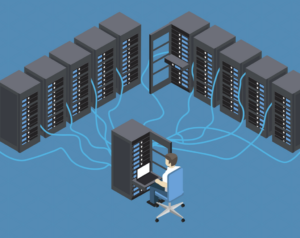
As technology has increased the usage of servers in our business practices, they play an important role in day-to-day activities. The main function of a server is to store data for a network of computers. With this storage unit, employees can work together, collaborate, and share projects. Whether you are aware of it or not, if you work in an office, it’s highly likely that your work is stored on a server.
Having a server inside a building that is physically connected to other computers has been the standard for decades. However, in recent years there has been a push to allow people to connect to these servers remotely. The reasons for this vary, but there are typically two main reasons.
One reason is to allow employees to travel, yet have access to their company’s network and projects. We’ve seen this for years, especially for salespeople and executives who’ve had to travel from location to location. This is still a common practice and works well, so it probably won’t change.
Secondly, people regularly working from a remote location need access to the servers. Recently, there has been a greater push for companies to have more of their employees work remotely. In this case, each remote employee needs to connect to the company’s servers quickly, easily, and without network interruption.
The people in the first case are only accessing the servers when needed, while people who work from home or small satellite offices work exclusively on these servers every day. A good high-speed connection is crucial in either case.
With the current worldwide pandemic, remote work tested companies’ servers. Businesses found out quickly if their networks and servers were, literally, up to speed.
Understanding Your Options
If you’re finding that your server is sluggish or unstable, you have three main options:
Upgrade — This could be a software or hardware upgrade. If you’re set on keeping your current server, adding more ram or memory could make it more functional. This would be the most cost-effective option.
Replace — While this is the most expensive option of the three, it will end up giving you greater results. Upgrading your system rather than replacing it limits you because of the aged hardware. By replacing your server, the sky’s the limit! You could literally have anything you want and often get a new warranty plan with it as well.
Migrate — This is an option that has become increasingly popular in recent years. With this, you will slowly transition to a cloud-based solution off-site, instead of having a physical server on location. This may be the best option for you if you have an operation that doesn’t demand all that much from the central system. One of the biggest pros of moving to a cloud-based solution is having zero maintenance. After all, there’s nothing physical to maintain. The hosting company and IT professionals take care of all upgrades and software maintenance so you can have peace of mind.
Now Is the Time for Upgrading Servers
Companies will be putting more and more stress on their servers as the working remote trend continues. We’re the first to admit that servers are not cheap, especially ones with the functionality needed to connect large groups of people over large distances. However, you need to make big moves to stay ahead of your competition and maximize productivity.
In addition, there is an available financial benefit to upgrading or replacing your servers now. That’s the key message of this blog — don’t forget about the tax benefits!
Some companies are continuously looking for ways to write off their profits to avoid paying too much in taxes. Meanwhile, other businesses may have more than enough loss to help them at the end of the tax year. You still have time to make an upgrade this year and take advantage of Tax 179 benefits. If you’re looking at a loss for this year, now is the time to begin planning for an upgrade at the beginning of the year to get an early jump on tax benefits.
Are you considering upgrading or replacing your servers? Or have you considered moving to a cloud-based solution like a virtual office? Either way, contact us today to see what your best options would be. Even if it would make more fiscal sense to do this next year, it’s never too early to start planning!